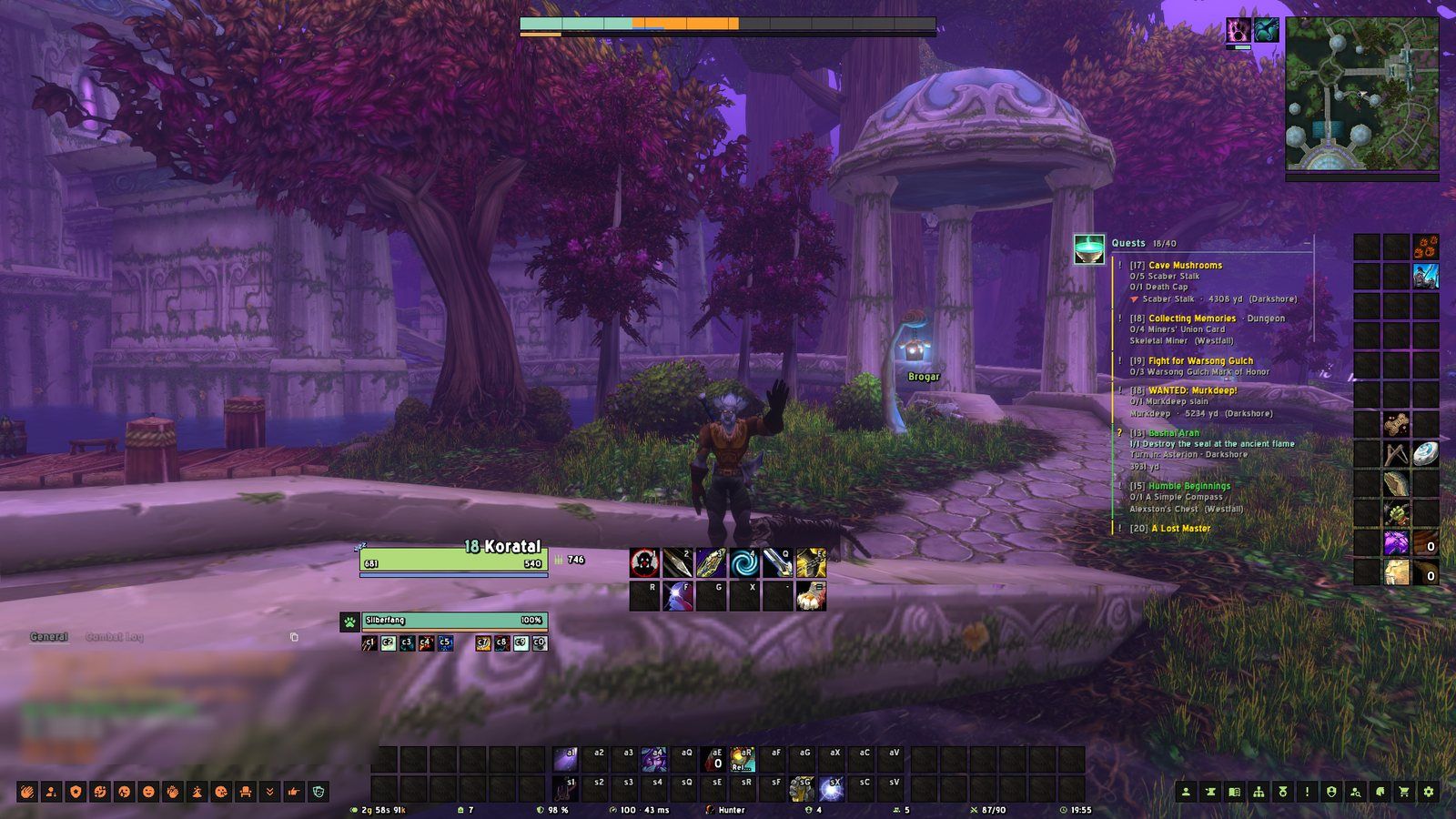
 Beta · Interface for WoW Forever
Install it.
Play. Done.
A clean, flat all-in-one interface for World of Warcraft Forever. One addon, one look, one settings window – no hours of setup, no tutorials.
Ready out of the box
A short setup asks a few questions. After that it just works.
Fixed, clean layouts
No dragging frames around. Tank, healer and damage layouts are thought through.
Made from one mould
Every window, bar and tooltip looks like it belongs together.
Built for Forever
Dungeon maps, spell ranks, ammo and reagents – what Forever needs.
Everything in one addon
Replaces a dozen addons – and they all speak the same language.
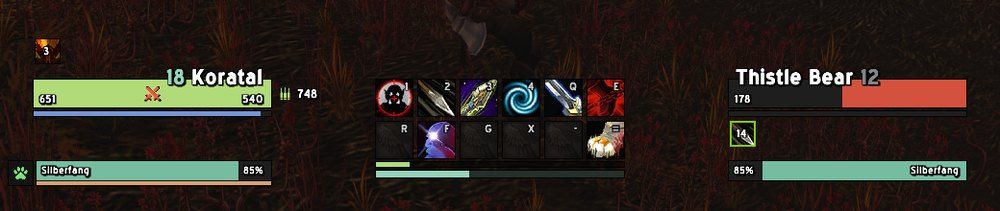
Big names, clear numbers
Player and target mirrored around your action bars, health and power as numbers, party and raid frames per role, a swing timer for hunters and melee.
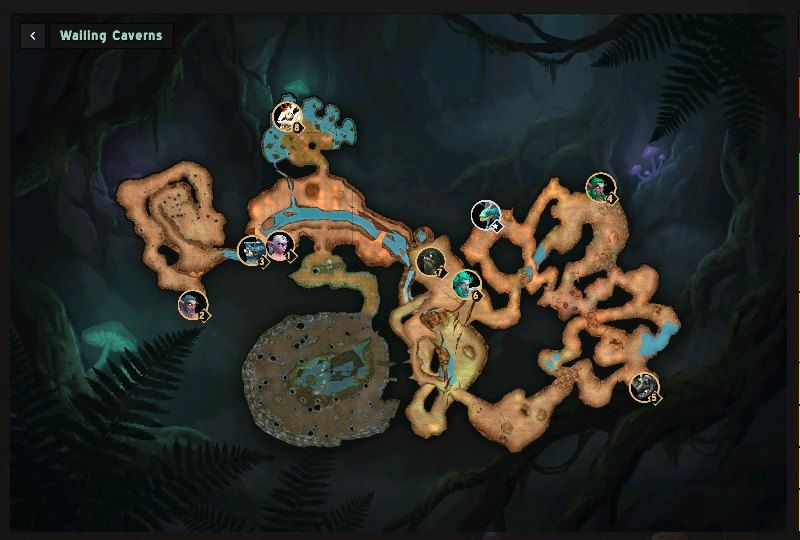
Forever has none. mUI does.
Click a dungeon portal on the world map and its map opens – every floor, with the bosses where they stand. Inside an instance the map opens right on it.
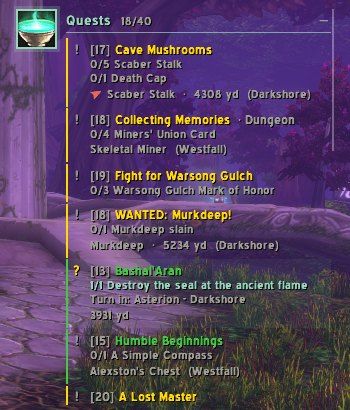
Always know where to go
With Questie, the tracker shows the nearest objective, the distance and an arrow that turns green as you get close. Questie's icons sit right on the mUI map.
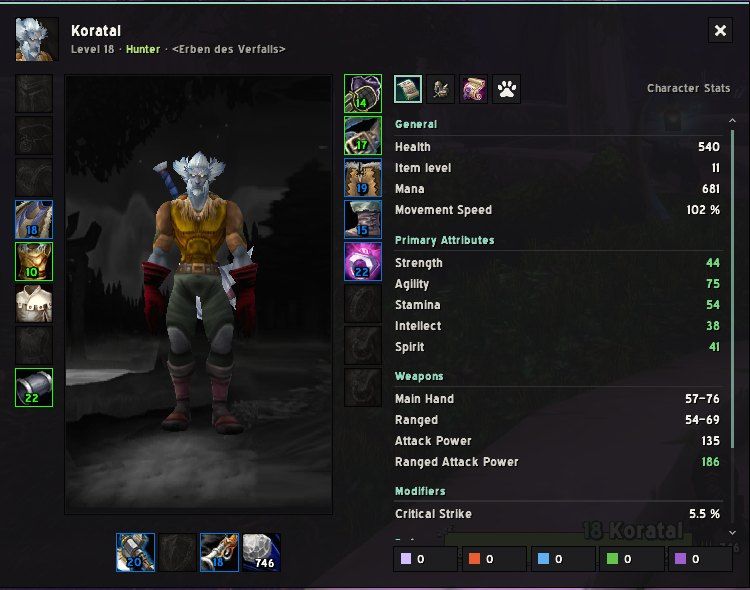
Every window, redone
Character, talents, spellbook, map, merchants, mail, guild and collections – flat, readable and the same everywhere. Upgrade arrows show what is better.
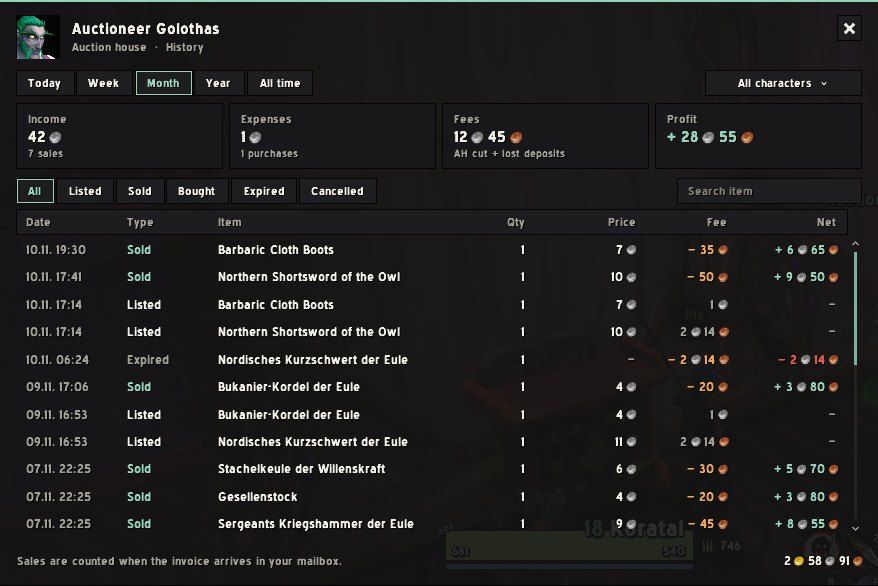
Know what you earn
One bag sorted into sections, a sell helper at the auction house and a ledger for income, expenses, fees and profit – across all your characters.
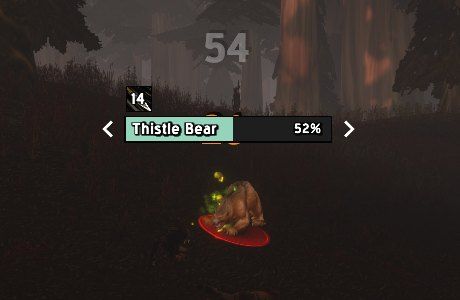
See the fight at a glance
Your target stands out with slim arrows, threat colours tell you who has aggro, cast bars show what you can interrupt. A damage meter sits top left.
Comfort helpers
Auto quests, best-reward marker, summons and resurrections, buff reminders, item counts across your characters – each with its own switch.
Class touches
Class icons in tooltips, chat and the character window. Optionally the whole UI in a muted version of your class colour.
Plays nice with others
Prefer your own addons? They take over their part – in a matching look.
Fishing, flights & more
A fishing bag with logbook, flight times on the flight map, chat with emoji and an RP mode, a cinema screen while you are away.
Classic or Comfort?
Pick once in the setup. Change any single setting later.
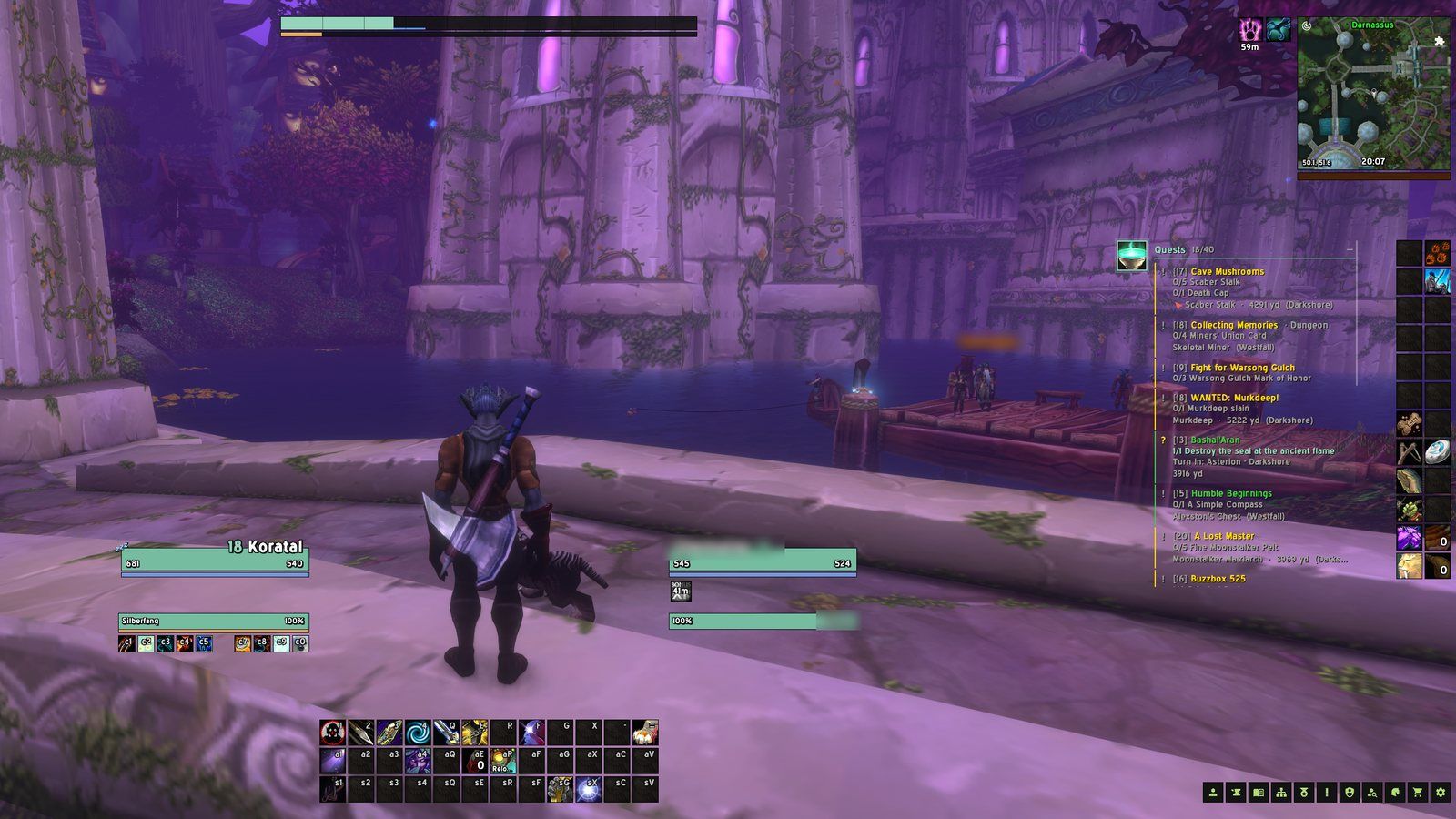
Classic
The game as you know it, just cleaner. Nothing happens on its own.
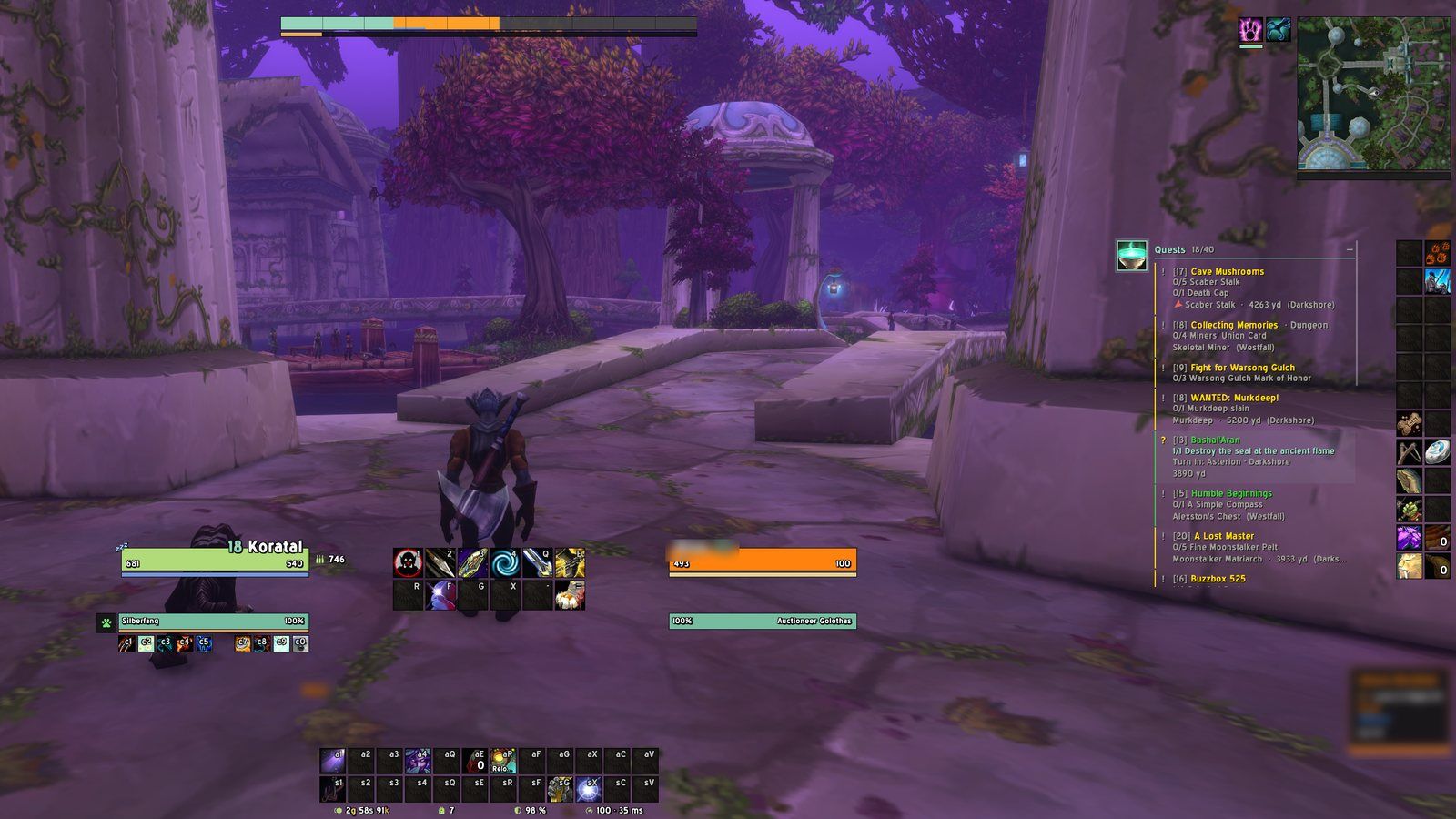
Comfort
All helpers on: quests accept and hand in themselves, summons are taken, reminders keep you buffed.
A quick tour
From the first setup to the auction house. Click an image to look closer.
Get MeredanUI
Free, and the same build everywhere – currently v0.3.0-beta.6. Pick whatever you already use.
 CurseForge
Install through the CurseForge app and it keeps mUI up to date on its own.
Open on CurseForge → Wago
Install with the Wago app or WowUp and get every update on release day.
Open on Wago → Direct downloadGrab the .zip from GitHub and drop the MeredanUI folder into your AddOns folder. No account, no app.
Download the .zip →Then three steps and you are playing
Install it. An addon app does this for you. By hand, the folder goes into World of Warcraft/_forever_/Interface/AddOns.
Answer a few questions. On your first login a short setup asks for your role, your screen size and Classic or Comfort.
Play. Everything is in place. Type /mui whenever you want to change something.
FAQ
Is it free?
Yes. MeredanUI is free and stays free. If you like it, you can support it on Ko-fi.
Does it work on Retail or Classic Era?
No. MeredanUI is made for World of Warcraft Forever only.
How do I install it?
Install it with the CurseForge app, the Wago app or WowUp – or download the .zip and drop the MeredanUI folder into World of Warcraft/_forever_/Interface/AddOns. Start the game and follow the short setup. Type /mui any time to open the settings.
Can I keep my other addons?
Yes. mUI detects popular nameplate, bag, boss timer and damage meter addons, lets them take over their part and gives them a matching look.
Can I move frames around?
On purpose, no. mUI uses fixed layouts per role and screen size, so everything fits without fiddling. You can still change sizes and many details.
Does it slow my game down?
mUI is built to do as little work as possible: most parts only react when something changes, and nothing runs in the background that does not have to.
Can I go back to the Blizzard look?
Every module and window can be switched off on its own. Turn off the addon and the game is back to how it was.
Which languages are supported?
English and German.
Does mUI collect data?
Only if you use the Wago app: then anonymous statistics (which modules are on) and Lua errors from mUI are sent through Wago Analytics, so bugs get fixed without anyone reporting them. Nothing is sent otherwise.
I found a bug. Where do I report it?
On GitHub Issues – with your mUI version and the error text if there is one.
What's new in v0.3.0-beta.6
- MeredanUI is now made for WoW Forever only
- New Comfort helpers, each with its own switch (all on with the Comfort style, off with Classic):
- Quests: accept and hand in quests automatically, skip single conversation options; hold Shift to pause. Grey quests, reward choices and quests that cost gold or materials are left alone
- Quest window: a gold coin marks the reward with the highest vendor value
- Accept summons (out of combat) and resurrections, decline duels from strangers, skip cinematics you have seen before
- Buff reminder: a toast for missing class buffs, outdated buff ranks and expired weapon oils or stones; the ready check counts classic elixirs
- Item tooltips show how many you have on your other characters (bags, bank, mail, worn)
- Camera zooms further out for everyone
Found a bug? Got an idea?
mUI is in beta. Tell me what is broken or what you miss – it really helps.

Hi, I'm Koratal
I play a hunter on WoW Forever and build mUI in my spare time, because I wanted a UI that just works. It's free – if you enjoy it, a coffee keeps it going.